Luckyy 
Administrator

Staff





LEVEL 500
XP
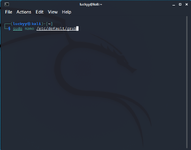
1. Open your terminal then run the following command: 'sudo nano /etc/default/grub' then press enter
View attachment 427
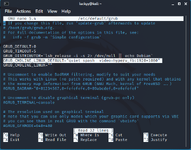
2. replace grub default with: GRUB_CMDLINE_LINUX_DEFAULT="quit splash video=hyperv_fb:1920x1080" (you can set any resolution just replace the 1920x1080)
View attachment 428
3. hit ctrl+0, enter then ctrl+x to exit
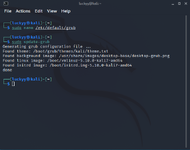
4. run sudo update-grub
View attachment 429
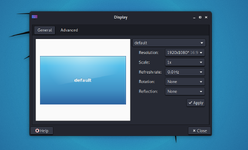
5. reboot your vm
View attachment 430
View attachment 427
2. replace grub default with: GRUB_CMDLINE_LINUX_DEFAULT="quit splash video=hyperv_fb:1920x1080" (you can set any resolution just replace the 1920x1080)
View attachment 428
3. hit ctrl+0, enter then ctrl+x to exit
4. run sudo update-grub
View attachment 429
5. reboot your vm
View attachment 430
Attachments
Last edited: